Every guide on this topic tells you to "turn on instant replies" and calls it a day. Then your auto reply stops working the moment someone comments on a Reel, or you try to message a follower from three days ago and nothing sends — and nobody explained why.
This guide covers the parts that actually trip people up: the 24-hour messaging window, why collaborative posts won't trigger automation, and the difference between a keyword rule that catches real comments and one that just sits there silently failing. By the end, you'll have an Instagram auto reply running across DMs and comments that doesn't fall apart the first time someone interacts with your content in a way you didn't anticipate.
Quick version
Native Instagram tools (Meta Business Suite) handle basic instant replies for free. Third-party tools like Atajoy add keyword-triggered comment-to-DM funnels, lead capture, and AI-level personalization — and they're the only safe way to scale past simple "thanks for reaching out" messages.
What Is Instagram Auto Reply, Exactly?
Instagram auto reply is any system — native or third-party — that sends a pre-written or AI-generated response automatically when someone messages your account, comments on your post, or replies to your story, without you typing a single word in the moment. The "auto" part is the entire point: it runs whether you're asleep, in a meeting, or just done answering the same question for the fortieth time today.
It's easy to confuse this with regular messaging, but the mechanism is different. A regular DM requires a human on the other end, reading and typing in real time. Auto reply runs on rules: a keyword gets typed, a trigger fires, a message goes out. No human bottleneck.
Three Levels of Instagram Automation
Not all auto reply setups are built the same way, and the gap between them matters more than most comparisons admit.
- Native Instant Replies — Built into Meta Business Suite. One static "away message" or FAQ-style quick reply. No keyword logic, no branching.
- Meta Business Suite Automation Rules — A step up: basic keyword triggers and simple if-this-then-that flows, still inside Meta's own interface.
- Third-Party Automation Platforms — Tools connected via the official Instagram Graph API that add comment-to-DM funnels, multi-step flows, lead capture, and conditional logic Meta's native panel simply doesn't offer.
Most businesses outgrow native instant replies within a few weeks. The moment you want a comment on a specific Reel to trigger a specific DM with a specific link, you've left Meta Business Suite's native capability and you're looking at a third-party flow builder.
Why Auto Reply Actually Matters (Beyond "Saving Time")
Every competitor in this space says auto reply saves time. True, but incomplete — the real value shows up in three separate places, and only one of them is about your schedule.
The Engagement Flywheel Effect
Instagram's algorithm rewards posts that generate fast engagement. Atajoy's internal data points to social DMs carrying a roughly 94% open rate, which is dramatically higher than email. When a comment instantly triggers a DM, you're not just answering a question — you're feeding the exact signal Instagram uses to decide whether to show your content to more people.
Speed Wins the Sale
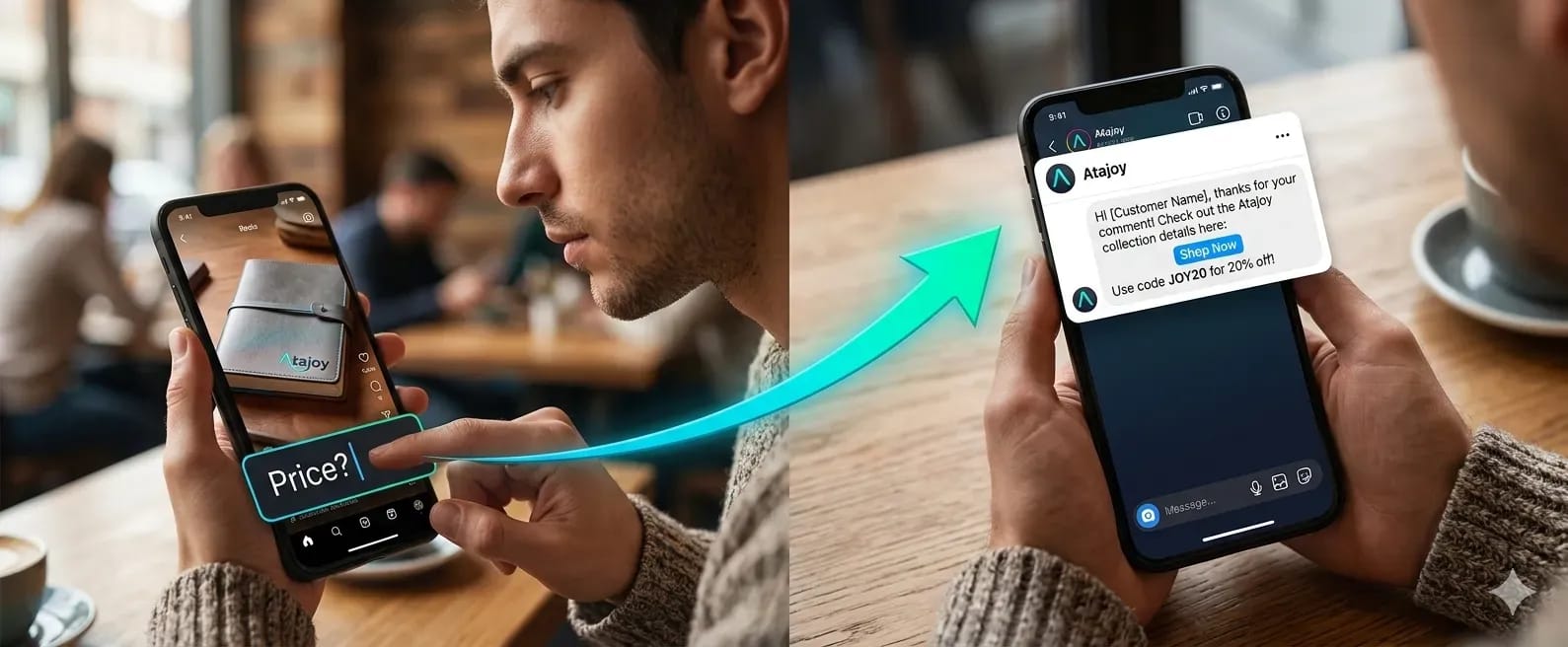
A prospect who comments "price?" and gets an instant DM with the answer is far more likely to buy than one who waits four hours for a human to notice the comment. Atajoy has measured roughly a 3.2x conversion lift on automated sales funnels compared to manual follow-up, and the mechanism isn't complicated — speed removes the window where a buyer loses interest or finds a competitor instead.
It Protects Your Actual Team's Time
If you're fielding the same five questions on every post — shipping cost, sizing, "is this still available" — automating those frees your team to handle the comments and DMs that genuinely need a human. That's not a time-saving platitude; it's a triage system.
Setting Up Instagram Auto Reply: The Real Step-by-Step
Here's where most guides get vague. Below is the version that actually accounts for what breaks.
Step 1: Confirm You're on a Business or Creator Account
Personal accounts can't run real automation — you'll get manual quick replies at best. If you're still on a personal profile, switch to a free Business or Creator account in your Instagram settings first. This single step is the reason so many "auto reply personal account" searches end in frustration: the feature genuinely doesn't exist there in any meaningful form.
Step 2: Connect Your Account the Right Way
Whether you're using Meta Business Suite or a third-party tool (see our complete comparison about 11 Best Instagram Automation Tools), connection should always go through Meta's official OAuth login — the screen where you authorize permissions through Facebook or Instagram directly. Tools that ask for your Instagram password outside that flow are the single biggest cause of account suspensions in this space, regardless of how legitimate the tool's marketing looks.
Step 3: Define Your Triggers — Comments, DMs, or Both
Decide what should fire the automation. A comment containing the word "price" on a specific post? Any DM containing "info"? A story reply? Most setups benefit from starting narrow — one trigger, one post — and expanding once you've confirmed it works the way you expect.
- Comment triggers — fire when a specific keyword appears in a comment on a chosen post or Reel
- DM keyword triggers — fire when an incoming message contains a defined word or phrase
- New follower triggers — fire a welcome DM when someone follows your account
- Story reply triggers — fire when someone responds to a specific story
Step 4: Write the Message (Without Sounding Like a Robot)
This is where most auto reply setups fail silently. A message that reads like a form letter gets ignored, reported, or — worse — replied to with frustration that then sits unanswered in your inbox. Keep it short, use the person's first name if your tool supports merge fields, and write it the way you'd actually text someone.
That's a working message:
Hey {{first_name}}! Thanks for asking — here's the link you wanted: [link]. Let me know if you've got questions, happy to help.
and this is the one that gets your DM ignored:
Thank you for your interest in our products. A representative will follow up shortly.
Step 5: Test Before You Trust It
Comment on your own post with the trigger keyword from a second account, or have a colleague do it. Confirm the DM lands, the link works, and the timing feels natural rather than instant-to-the-point-of-suspicious. A half-second delay actually performs better than a true 0.1-second reply — it reads as more human.
Comment-to-DM Automation: The Strategy Most Competitors Undersell
Comment-to-DM is the single highest-leverage automation pattern in this space, and it's worth treating as its own strategy rather than a feature buried inside a setup guide.
The mechanic is simple: someone comments a trigger word on your post, and your automation privately messages them — usually with a link, a discount code, or gated content. It works because the person already showed intent publicly, and the DM converts that public interest into a private, trackable conversation.
Building a Comment-to-DM Funnel That Doesn't Feel Spammy
The failure mode here is generic copy-paste replies that feel like they're talking to everyone and no one. A funnel that performs well usually has three layers: an acknowledgment that feels personal, the actual value (link, code, file), and a soft next step — a question that keeps the conversation alive instead of ending it cold.
Retroactively Capturing Old Comments
Here's a gap almost nobody covers: what about comments from before you set up automation? Atajoy's Past Comment Rewind feature crawls historical comment sections to fulfill link requests retroactively, which means months of old engagement that would otherwise sit unanswered can suddenly convert. Most platforms only automate going forward and leave that backlog untouched.
The Two Things Almost Every Other Guide Skips
This is where most competitor content gets shallow — they mention "be careful" without explaining the actual mechanics. Here's the part that saves you a frustrating debugging session later.
The 24-Hour Messaging Window
Meta's Graph API only allows businesses to send standard messages to a user within 24 hours of their last interaction. After that window closes, your automated DM simply won't send — not because your tool is broken, but because Meta's policy blocks it. If you're wondering why an auto reply "stopped working," check the timestamp on the original comment or message before anything else.
Collaborative Posts Don't Trigger Automation
If you're running a comment-to-DM funnel on a collaborative post — co-authored with another account — automation generally won't fire. Meta's API restricts automated access to that content type, full stop. It's a narrow edge case, but it's exactly the kind of thing that makes someone think their setup is misconfigured when it's actually a platform-level limitation.
Is Instagram Auto Reply Allowed? Account Safety, Explained Properly
Short answer: yes, completely. Longer answer: it depends entirely on how the messages get sent, and this is the section most competitor guides handle with a vague "use a safe tool" instead of explaining the actual mechanism.
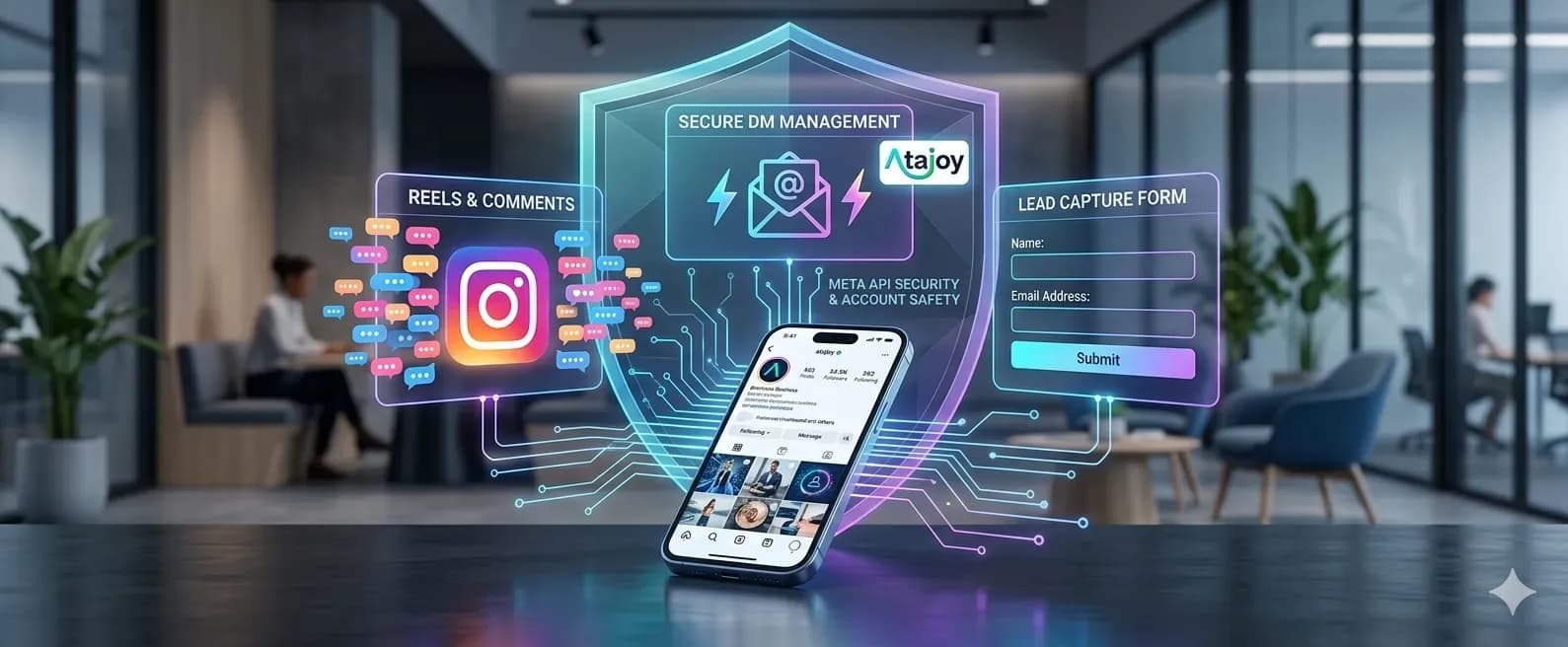
Meta's Graph API enforces what's effectively a handshake — every automated message your tool sends has to pass through Meta's own permission and rate-limiting layer. Tools that integrate this way are throttled automatically and never touch your password. The danger comes from a separate category of tool entirely: unofficial "backdoor" bots that ask you to log in directly through their own interface, bypassing Meta's API completely. Those tools mimic browser activity in a way Meta's spam detection is specifically built to catch, and that's where bans actually come from.
What "Rate Limiting" Actually Means in Practice
Sending 500 DMs in the same sixty seconds looks nothing like human behavior, and Meta's systems flag it instantly. A well-built automation tool staggers message bursts — spacing sends out over minutes rather than firing them all at once — specifically to mimic the pace of an actual person replying to messages throughout the day. This is a defensive layer working in the background, not something you configure manually.
Native Instagram Tools vs. Third-Party Automation Platforms
Once you've gone past basic instant replies, the real decision is whether Meta Business Suite's native panel covers what you need or whether you need a dedicated automation platform. Here's how they actually compare.
| Capability | Meta Business Suite (Native) | Third-Party Platform (e.g., Atajoy) |
|---|---|---|
| Cost | Free | Free tier available; paid plans from $14.99/mo |
| Comment-to-DM triggers | Limited | Full keyword + multi-step logic |
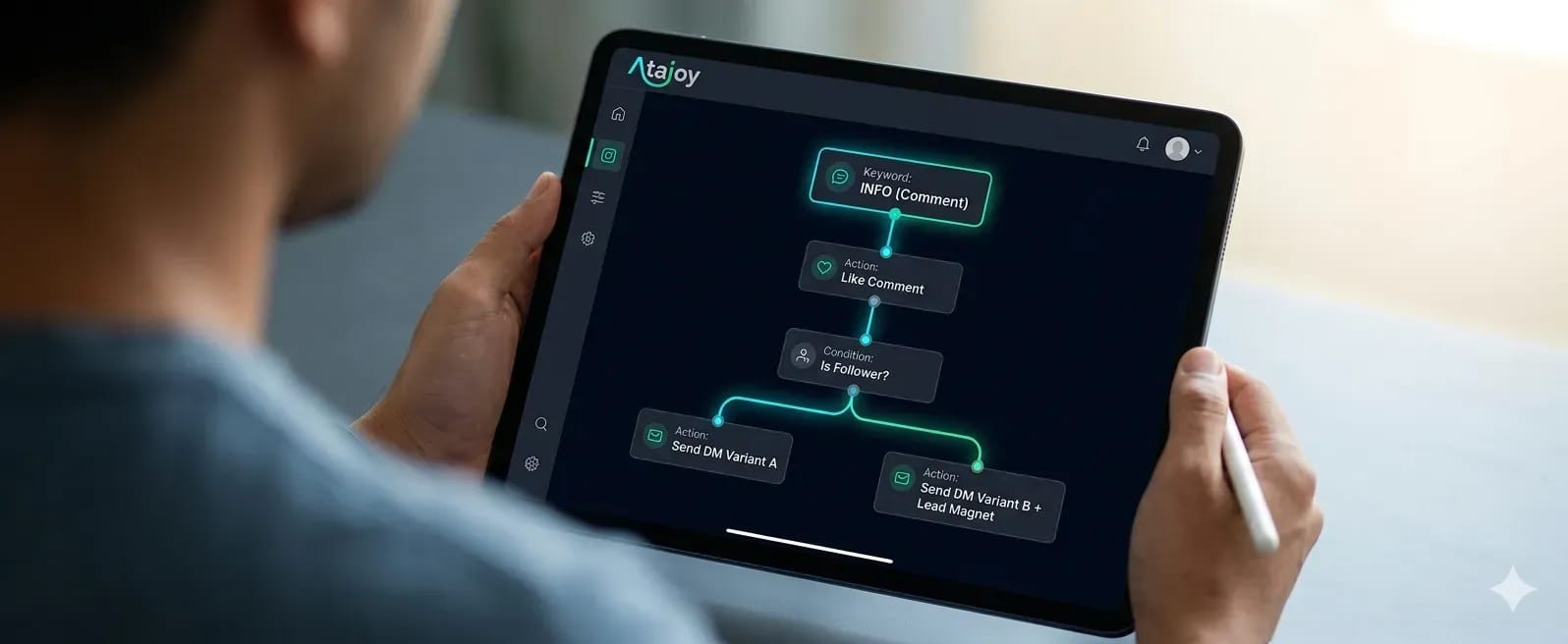
| Visual flow builder | No | Yes — no-code drag-and-drop |
| Lead capture (email/phone) | No | Yes, built into the chat |
| Retroactive comment automation | No | Yes (Past Comment Rewind) |
| Setup time | ~10 minutes | Under 20 minutes guaranteed |
| Best for | Simple FAQ-style replies | Sales funnels, lead gen, scaling engagement |
If you're answering the same three questions a handful of times a week, Meta Business Suite alone is genuinely enough — there's no reason to add a tool you don't need. The moment you want comments to drive structured conversations that capture a lead or push a sale, you've outgrown what the native panel was built to do. That's also usually the point where people start comparing dedicated platforms against each other (Read our Atajoy vs. ManyChat Comparison) rather than against Meta's free option.
Best Practices That Separate a Good Auto Reply From an Annoying One
The mechanics of setup are the easy part. What actually determines whether your automation helps or quietly damages your brand voice comes down to a handful of habits.
Keep a Human in the Loop for Anything That Isn't Routine
Full automation works great for FAQs and link delivery. It works terribly for complaints, refund requests, or anything emotionally charged — a bot replying "Thanks for reaching out!" to an angry customer makes things worse, not better. Build an escape hatch: a trigger word like "agent" or "help" that routes the conversation to manual review instead of another canned response.
Don't Let Triggers Overlap
If three different keyword rules could all fire from the same comment, you'll either send duplicate messages or trigger the wrong one. Audit your trigger list periodically, especially as you add new campaigns — overlapping keywords are one of the most common reasons an "Instagram auto reply not working" complaint turns out to be three rules fighting each other.
Refresh Your Message Copy Every Few Months
The same auto-reply text gets stale to repeat commenters, and Instagram's own systems can deprioritize content that triggers identical, unchanged responses at scale. Rotate phrasing periodically — it costs five minutes and keeps replies feeling current.
Frequently Asked Questions
Is Instagram auto reply allowed?
Yes. Instagram explicitly supports automated replies through Meta Business Suite's instant replies and through apps connected via the official Instagram Graph API. The only setups that risk a ban are unofficial tools that ask for your password instead of using Meta's secure login.
Will auto reply get my Instagram account banned?
Not if you stick to official integrations. Bans almost always trace back to two things: third-party tools that bypass Meta's API and ask for your password directly, or message volume that ignores Meta's built-in rate limits. Stay inside the Graph API and pace your messages, and the risk drops close to zero.
Does Instagram auto reply work on Reels comments?
Yes, comment-triggered automation works on Reels the same way it works on regular feed posts, as long as your automation tool supports comment-to-DM triggers across all content types. It does not currently work on collaborative posts, since Meta's API restricts automated access to that content type.
How do I turn off auto reply on my Instagram business account?
In Meta Business Suite, go to Automation, select the active rule, and toggle it off or delete it. If you're using a third-party tool like Atajoy, pause or archive the relevant flow from the dashboard instead — your native Instagram settings won't control rules built outside Meta's own automation panel.
Why is my Instagram auto reply not working?
The most common culprits are an expired Page connection, a keyword trigger that's too specific to match real comment phrasing, or trying to message someone outside the 24-hour response window. Reconnect your account, loosen your trigger keywords, and check the timestamp on the original interaction before assuming the tool is broken.
Can I set up auto reply on an Instagram personal account?
Personal accounts have very limited native automation — mostly quick replies you send manually. Full auto-reply automation, including comment-to-DM triggers and keyword detection, requires switching to a free Instagram Business or Creator account, which unlocks Meta Business Suite and third-party API access.
Where to Go From Here
Native Meta Business Suite automation will get you through basic instant replies, and for a lot of accounts, that's genuinely all you need — there's no prize for over-engineering a setup that a free tool already handles. But the moment you want comments turning into qualified DMs, leads getting captured automatically, or months of old comments suddenly converting, you're looking at a dedicated platform built specifically for that job.
Atajoy's Visual Flow Builder handles exactly that — comment-to-DM funnels, keyword triggers, lead capture, and Smart Rate Limiting baked in so you're never the one accidentally tripping Meta's spam detection. Official Graph API, zero password sharing, and a setup that's genuinely live in under 20 minutes.
If you've been manually replying to the same comments every week, it's worth testing the free tier just to see what it catches that you've been missing. No card required, and the Starter plan covers up to 1,000 DMs a month at zero cost.
Got questions before you commit? The FAQ section covers most of what people ask before switching over. Or, you can simply contact us for furthur information.